> For the complete documentation index, see [llms.txt](https://doc.nextbot.ru/llms.txt). Markdown versions of documentation pages are available by appending `.md` to page URLs; this page is available as [Markdown](https://doc.nextbot.ru/functional/partnerskii-kabinet/kak-podat-zayavku-na-uchastie-v-partnerskoi-programme.md).
# Как подать заявку на участие в партнёрской программе
Как подать заявку на участие в партнёрской программе Nextbot
Процесс подачи заявки на участие в партнёрской программе:
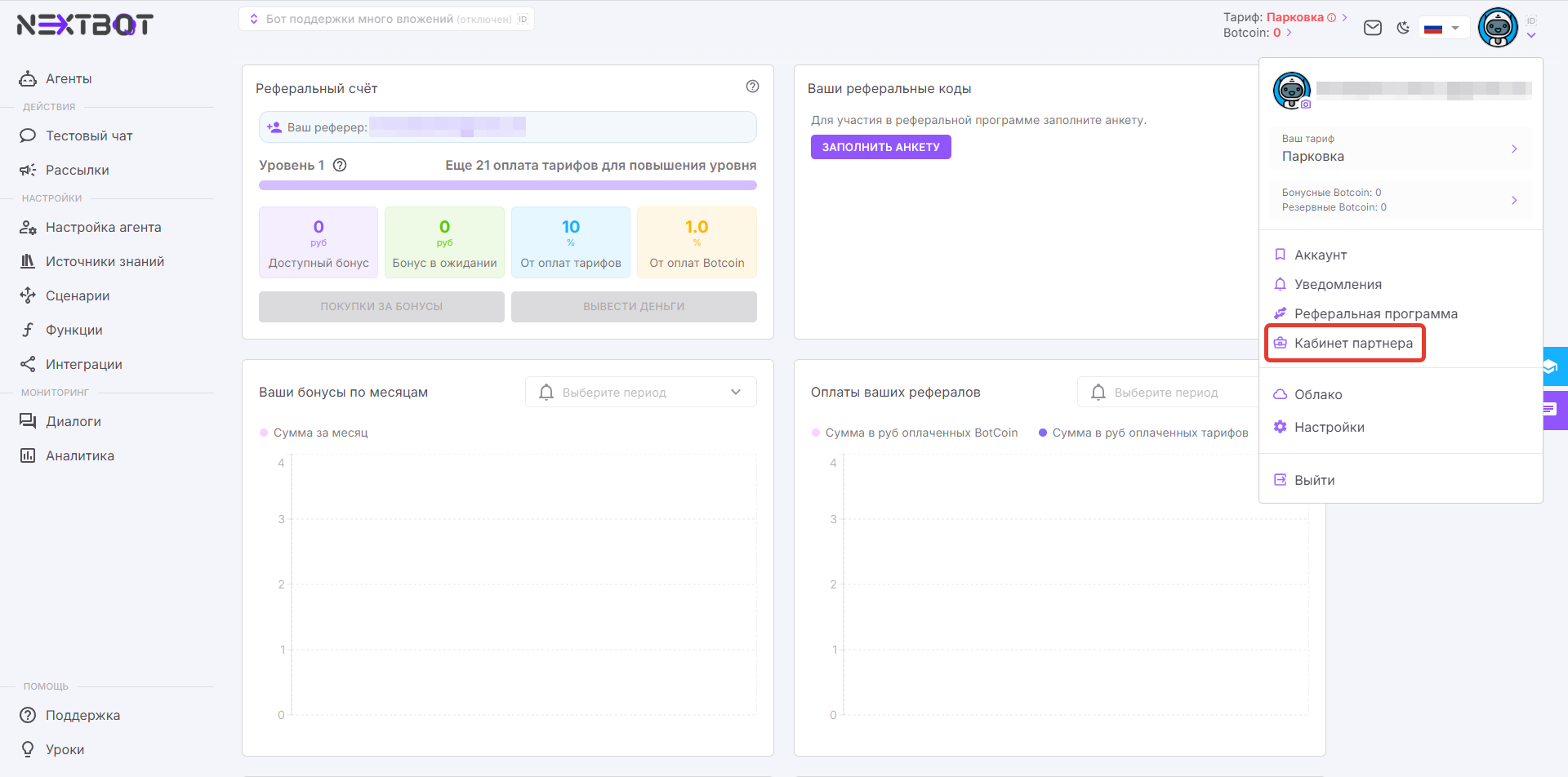
#### 1. В выпадающем меню профиля нажмите «Кабинет партнёра».
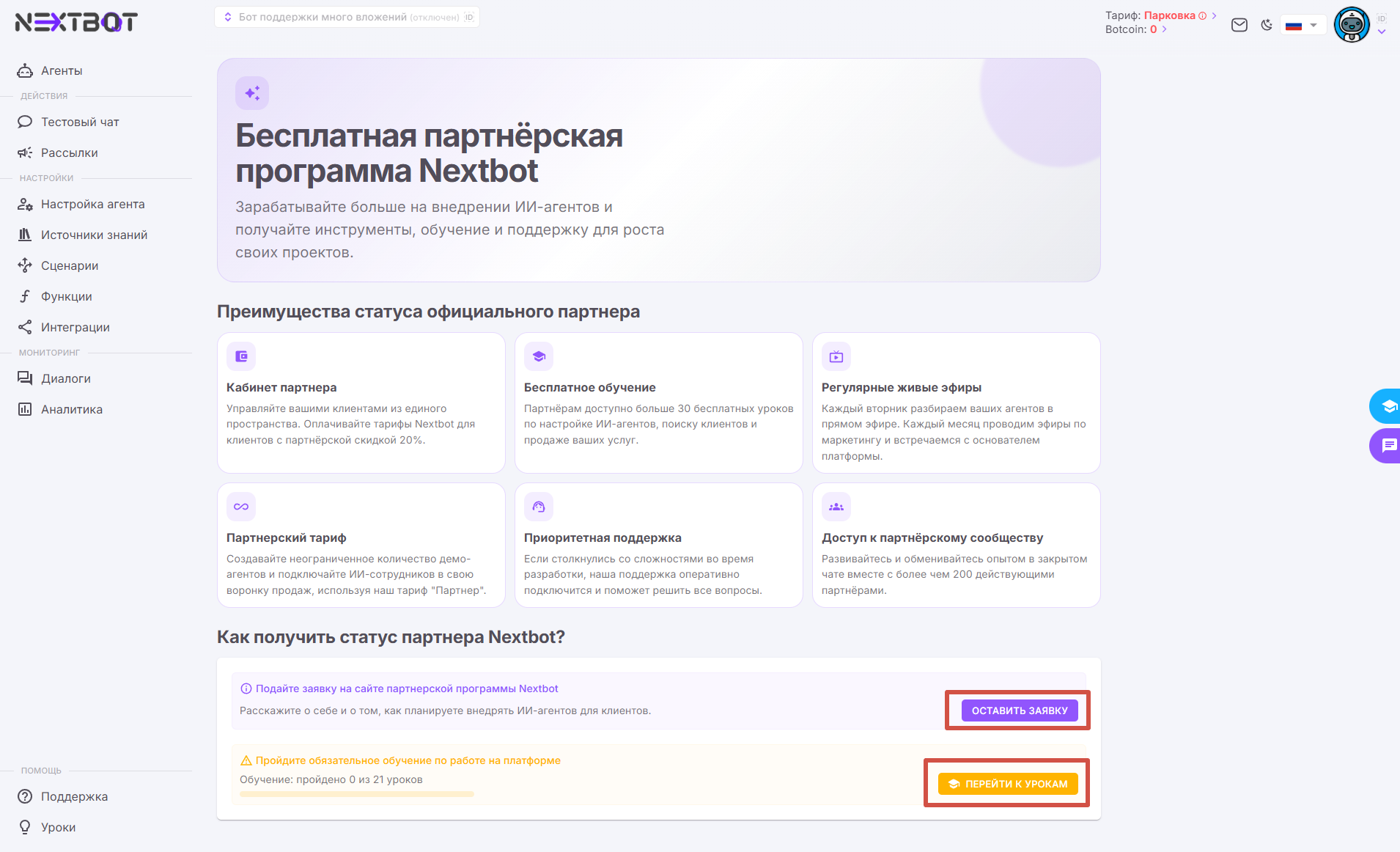
#### 2. Изучите преимущества партнёрской программы и выберите один из вариантов получения статуса партнёра Nextbot:
* Подайте заявку на сайте, если у вас уже есть опыт работы с ИИ-агентами в целом или Nextbot в частности.
* Изучите бесплатные уроки и выполните задания после них, если вы впервые знакомитесь с агентами и Nextbot.
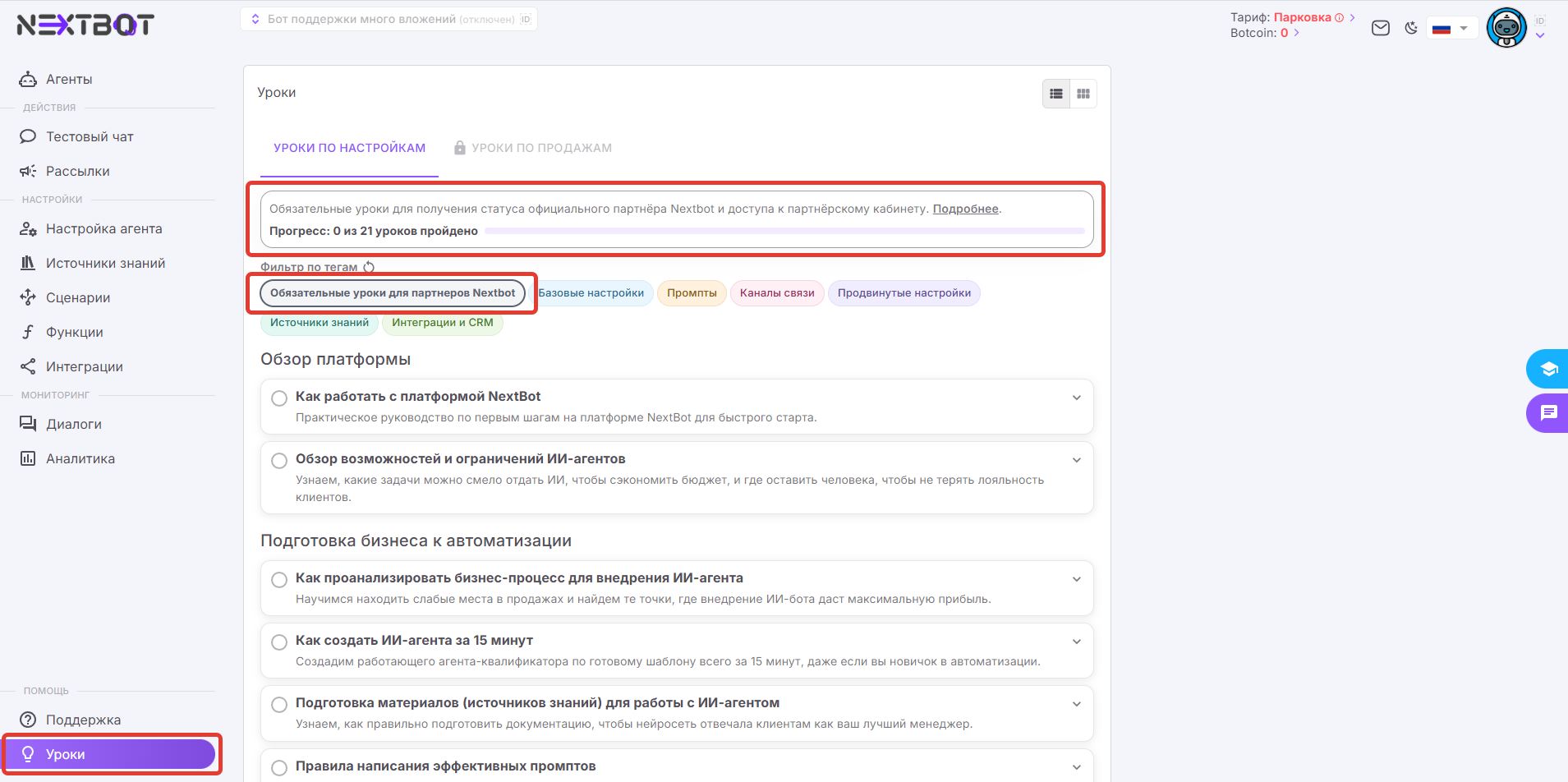
#### 3. Если вы выбрали второй вариант, отфильтруйте уроки по тегу «Обязательные уроки для партнёров Nextbot». Прогресс прохождения обучения можно отслеживать в статус-баре выше. Открыть этот раздел можно также через кнопку «Уроки» в нижнем левом углу экрана.
#### 4. Когда тесты в обязательных уроках будут сданы, вернитесь в «Кабинет партнёра».
#### 5. Нажмите «Стать партнёром».
#### 6. Заполните короткую анкету и нажмите «Подать заявку».
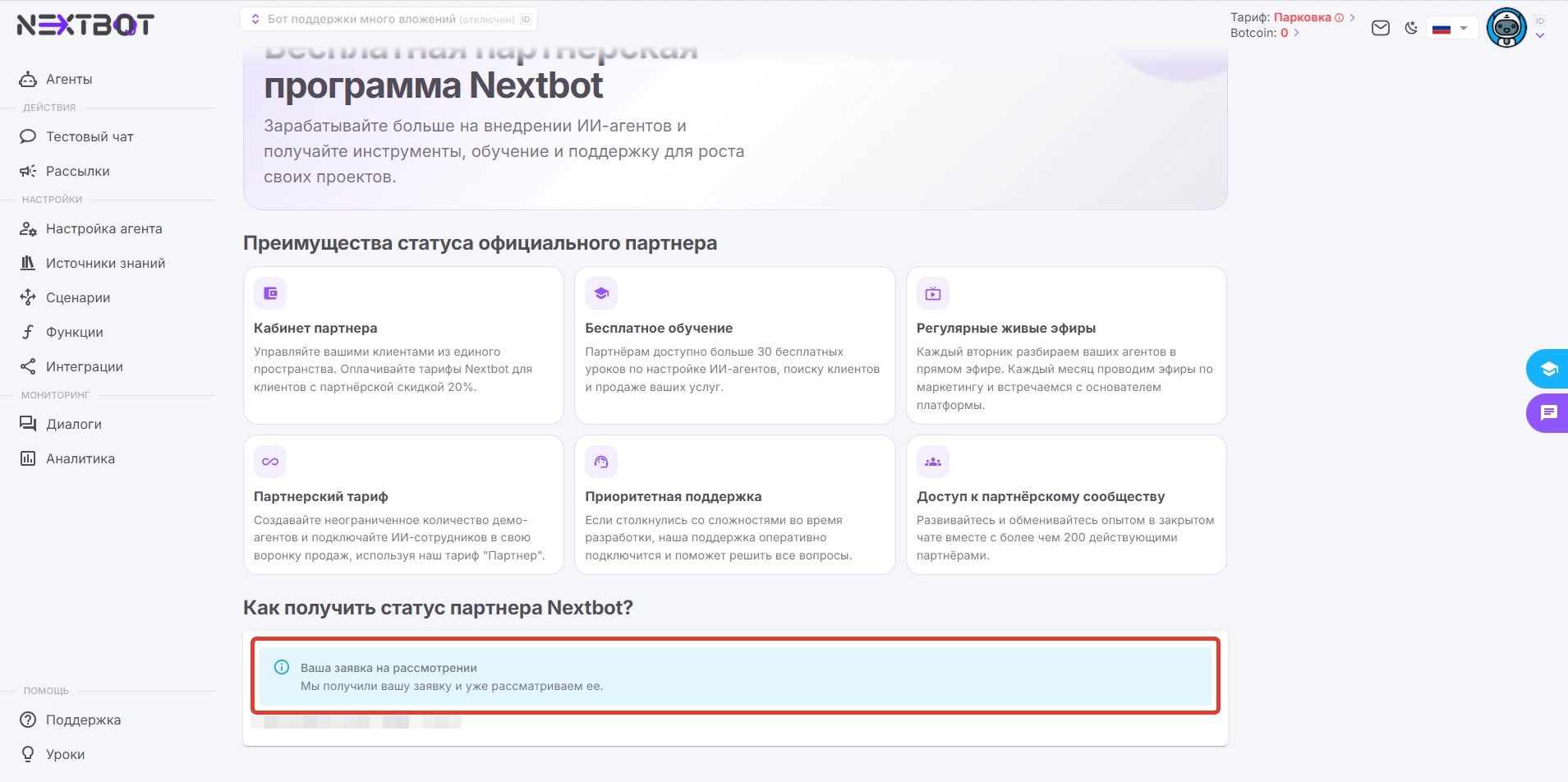
#### 7. Заявка отправлена и находится на рассмотрении. Менеджер свяжется с вами в течение 24 рабочих часов.
#### 8. После одобрения заявки вы получите уведомление. Кнопка «Партнёрский кабинет» появится в боковом меню над разделом «Поддержка» и будет доступна из любого раздела платформы.
---
# Agent Instructions
This documentation is published with GitBook. GitBook is the documentation platform designed so that both humans and AI agents can read, navigate, and reason over technical content effectively. Learn more at gitbook.com.
## Querying This Documentation
If you need additional information that is not directly available in this page, you can query the documentation by asking a question.
Perform an HTTP GET request on the following URL with the `ask` and `goal` query parameters:
```
GET https://doc.nextbot.ru/functional/partnerskii-kabinet/kak-podat-zayavku-na-uchastie-v-partnerskoi-programme.md?ask=&goal=
```
`ask` is the immediate question: it should be specific, self-contained, and written in natural language.
`goal` is what the user is ultimately trying to achieve, the reason they need the answer. Sharing it helps GitBook give you a better, more relevant answer. A goal is most helpful when it describes the outcome the user wants rather than restating the question. For example, with `ask=how do I create an API token`, a goal like `automate deployments from our CI pipeline` lets GitBook tailor the answer to that use case.
The response will contain a direct answer to the question and relevant excerpts and sources from the documentation.
Use this mechanism when the answer is not explicitly present in the current page, you need clarification or additional context, or you want to retrieve related documentation sections.