> For the complete documentation index, see [llms.txt](https://doc.nextbot.ru/llms.txt). Markdown versions of documentation pages are available by appending `.md` to page URLs; this page is available as [Markdown](https://doc.nextbot.ru/functional/integrations/wazzup.md).
# WAZZUP
Перед подключением
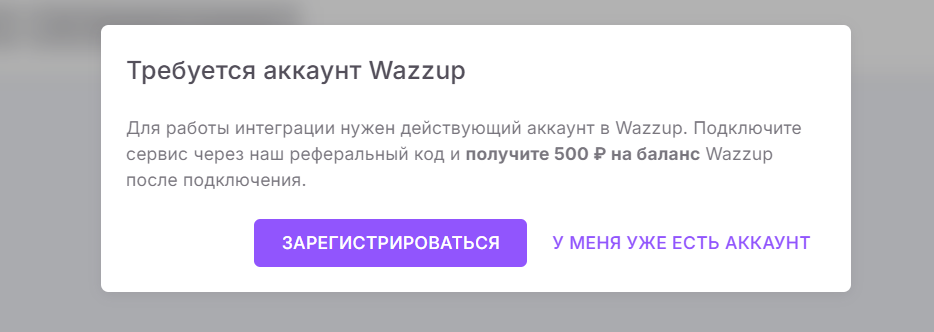
Для подключения Wazzup к Nextbot необходим аккаунт Wazzup. При первом входе на страницу **Интеграции → Wazzup** вам будет предложено воспользоваться реферальной программой: если вы нажмете **Зарегистрироваться** и создадите новый аккаунт, на ваш баланс Wazzup будет зачислено 500 ₽.
Если у вас уже есть аккаунт, нажмите кнопку **У меня уже есть аккаунт**.
Подключение ИИ-агента к WAZZUP
Пошаговая инструкция подключения WAZZUP к Nextbot:
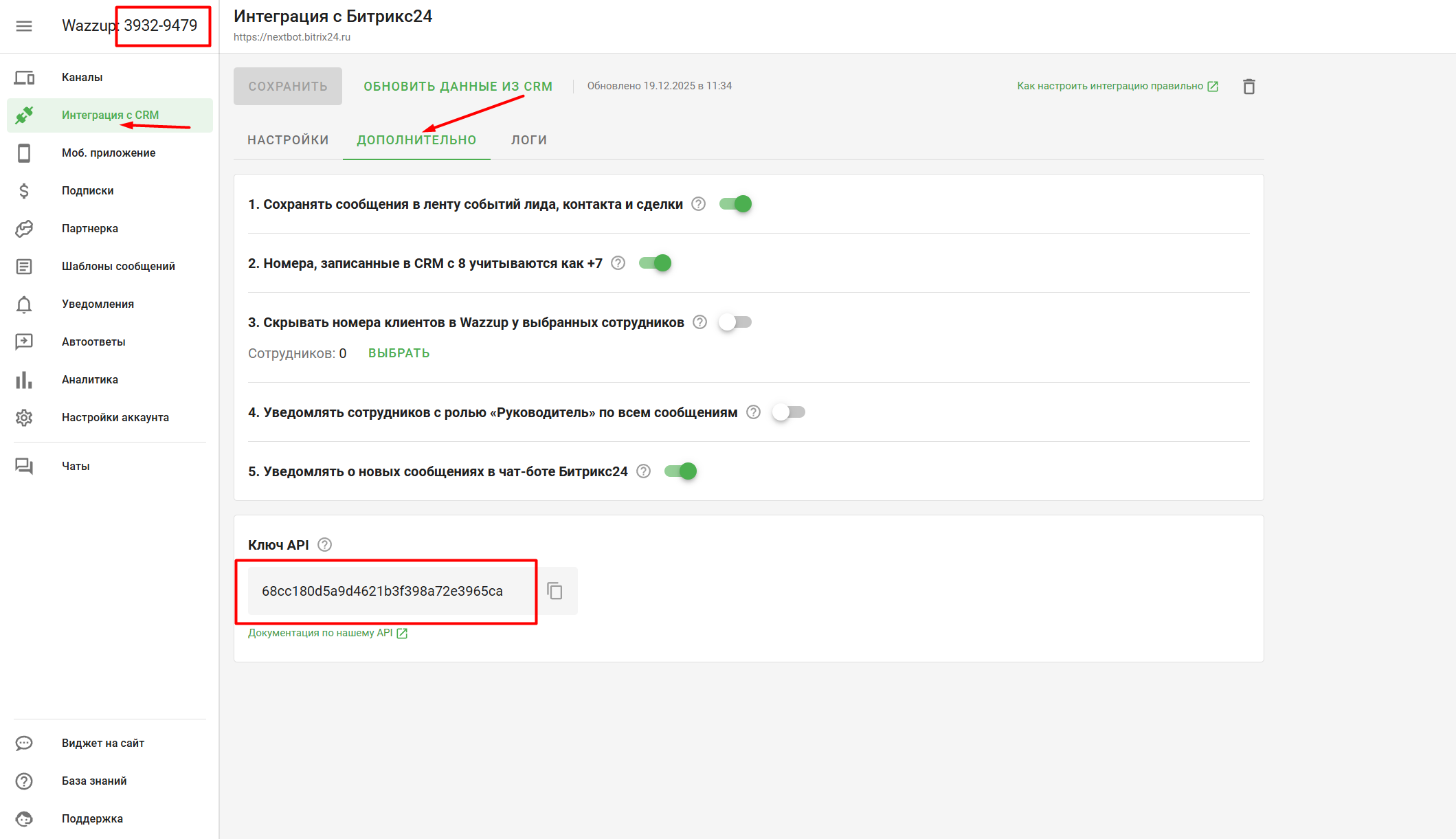
1. В личном кабинете Wazzup перейдите по пути Интеграция с CRM → Дополнительно. Скопируйте Ключ API и ID аккаунта Wazzup
2. Перейдите в левое меню Интеграции -> WAZZUP, вставьте скопированный ключ и ID в поле поля и нажмите **Подлючить**
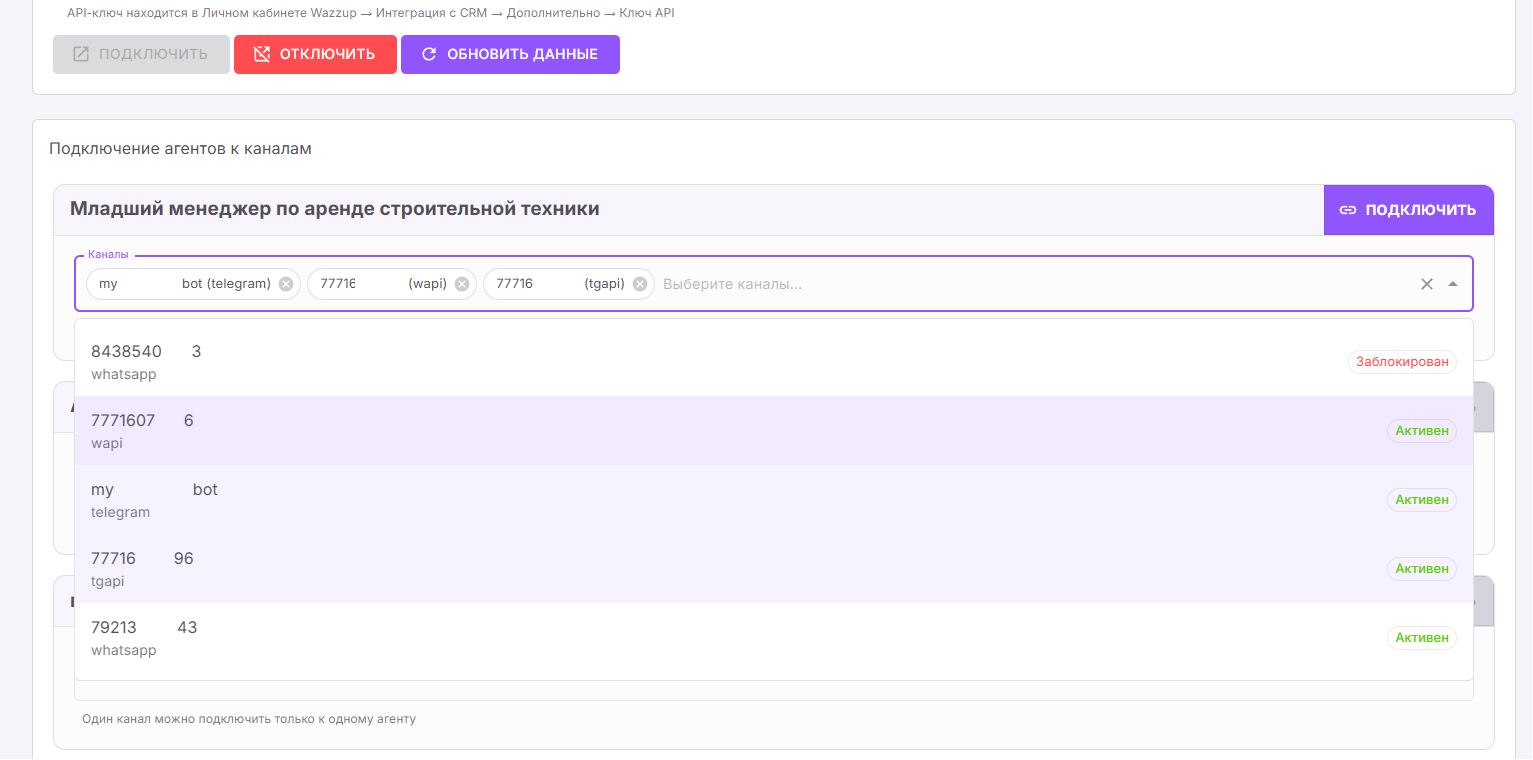
3. Проверьте успешность подключения: в нижней части страницы должен появиться список всех ваших ИИ-агентов
4. В выпадающем списке "Каналы" возле каждого агента вы можете выбрать один или несколько каналов из Wazzup
5. Когда вы выбрали нужные каналы, нажмите кнопку Подключить, чтобы завершить подключение
6. Для отключения каналов от ИИ-агента или всей интеграции используйте кнопки **Отключить**
{% hint style="warning" %}
Внимание: Один канал можно подключить только к одному агенту!
{% endhint %}
---
# Agent Instructions
This documentation is published with GitBook. GitBook is the documentation platform designed so that both humans and AI agents can read, navigate, and reason over technical content effectively. Learn more at gitbook.com.
## Querying This Documentation
If you need additional information that is not directly available in this page, you can query the documentation by asking a question.
Perform an HTTP GET request on the following URL with the `ask` and `goal` query parameters:
```
GET https://doc.nextbot.ru/functional/integrations/wazzup.md?ask=&goal=
```
`ask` is the immediate question: it should be specific, self-contained, and written in natural language.
`goal` is what the user is ultimately trying to achieve, the reason they need the answer. Sharing it helps GitBook give you a better, more relevant answer. A goal is most helpful when it describes the outcome the user wants rather than restating the question. For example, with `ask=how do I create an API token`, a goal like `automate deployments from our CI pipeline` lets GitBook tailor the answer to that use case.
The response will contain a direct answer to the question and relevant excerpts and sources from the documentation.
Use this mechanism when the answer is not explicitly present in the current page, you need clarification or additional context, or you want to retrieve related documentation sections.