> For the complete documentation index, see [llms.txt](https://doc.nextbot.ru/llms.txt). Markdown versions of documentation pages are available by appending `.md` to page URLs; this page is available as [Markdown](https://doc.nextbot.ru/functional/functions/sending-result/robokassa.md).
# Robokassa
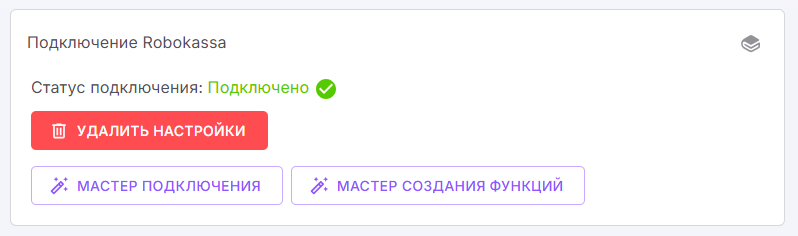
Если вам нужно подключение **с** Robokassa почитайте эту [статью](https://doc.nextbot.ru/functional/integrations/robokassa/podklyuchenie-robokassa.md).
Чтобы ИИ-Агент брал позиции из прайс-листа, формировал чеки и отправлял их клиенту в нужный момент узнайте как реализовать в этой [статье](https://doc.nextbot.ru/functional/integrations/robokassa/funkcii-dlya-raboty-s-robokassa.md).
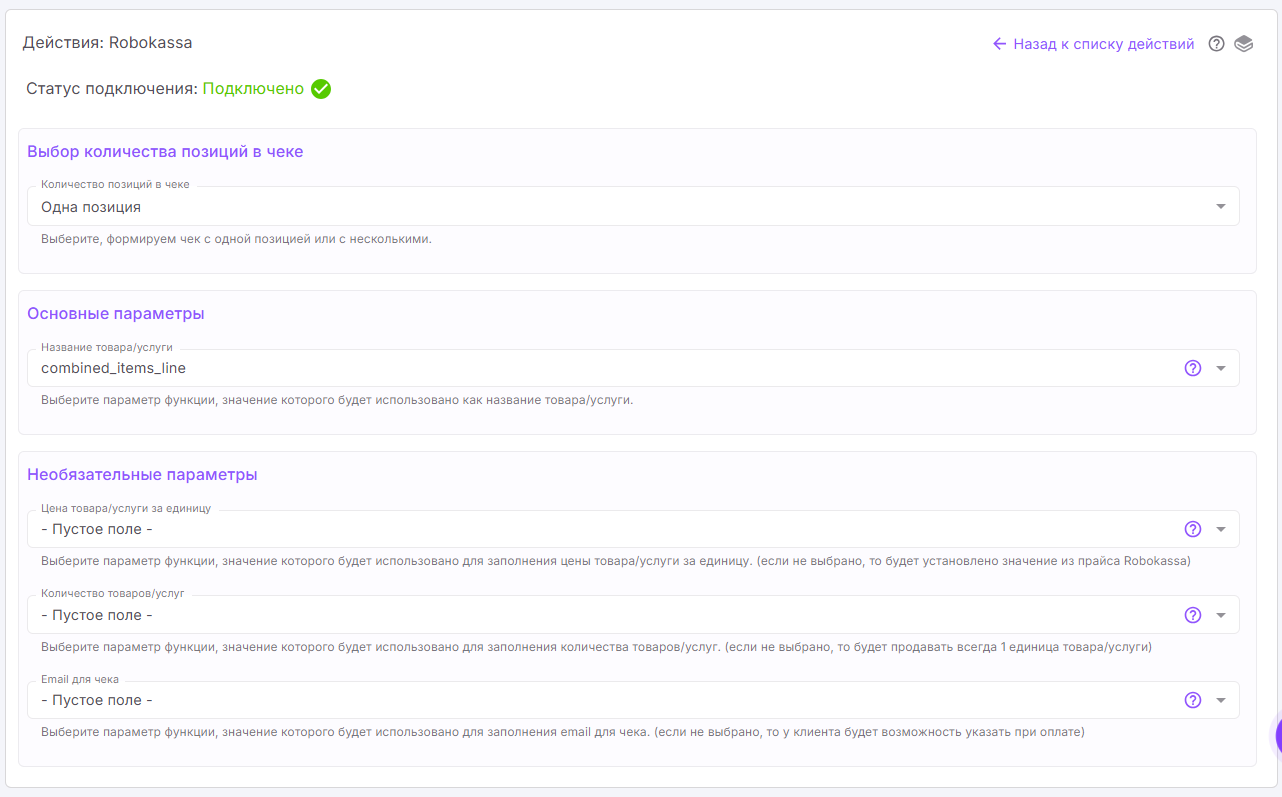
После создания функции для Robokassa, во вкладке Действия, можно корректировать некоторые поля:
#### **Выбор количества позиций в чеке**
* **Несколько позиций** — каждый товар передается как отдельная позиция в чеке
* **Одна позиция** — одна позиция на всю сумму в чеке
#### **Основные параметры:**
**`combined_items_line`**
Это входной параметр, который содержит строку с информацией о товарах, ценах и количестве. Выберите параметр функции, значение которого содержит все позиции, цены и количества в одной строке.
#### Необязательные параметры
1. **Цена товара/услуги за единицу** — стоимость одного товара (например, 500 рублей)
2. **Количество товара/услуг** — сколько единиц покупает клиент (например, 3)
3. **Email для чека** — куда отправить квитанцию (необязательно)
---
# Agent Instructions
This documentation is published with GitBook. GitBook is the documentation platform designed so that both humans and AI agents can read, navigate, and reason over technical content effectively. Learn more at gitbook.com.
## Querying This Documentation
If you need additional information that is not directly available in this page, you can query the documentation by asking a question.
Perform an HTTP GET request on the following URL with the `ask` and `goal` query parameters:
```
GET https://doc.nextbot.ru/functional/functions/sending-result/robokassa.md?ask=&goal=
```
`ask` is the immediate question: it should be specific, self-contained, and written in natural language.
`goal` is what the user is ultimately trying to achieve, the reason they need the answer. Sharing it helps GitBook give you a better, more relevant answer. A goal is most helpful when it describes the outcome the user wants rather than restating the question. For example, with `ask=how do I create an API token`, a goal like `automate deployments from our CI pipeline` lets GitBook tailor the answer to that use case.
The response will contain a direct answer to the question and relevant excerpts and sources from the documentation.
Use this mechanism when the answer is not explicitly present in the current page, you need clarification or additional context, or you want to retrieve related documentation sections.